15 Things I'd Fix on Every Squarespace Website to Improve SEO and AI Visibility
Most Squarespace websites I look at were built well. The design is solid, the copy is decent, the pages are there. What's missing is everything that happens after launch.
The site launched. The champagne was popped. The boxes were checked. Then it sat ignored in it’s corner of the internet.
Meanwhile, Google changed search. AI entered the chat. Competitors kept publishing content, collecting reviews, updating their Google Business Profiles, and expanding their websites.
The website didn't break. The internet around it changed.
And now search isn't just Google anymore. When someone asks ChatGPT for a chiropractor, asks Perplexity for a wedding photographer, or types a question into Google and gets a summary recommendation before a single link appears, those platforms are deciding who's worth mentioning. The businesses they recommend aren't the ones who happened to have a website, they're the ones that gave search engines and AI systems every possible reason to trust them.
Your Squarespace website is perfectly capable of ranking well and attracting qualified leads. But it needs tending. If I were auditing your site today, here's exactly where I'd start.
Top SEO and AIO Fixes for Your Squarespace Website
1. Connect Google Search Console
Before changing anything else, I'd install Search Console. You need to know which keywords you're already showing up for, which pages are getting impressions but not getting clicked, and what Google is struggling to understand about your site. Most businesses are sitting on fixable opportunities they can't see because they're not looking at the data.
In Squarespace: Settings → Integrations → Google.
2. Create a Dedicated Page for Every Service
This is one of the biggest missed opportunities I see on Squarespace sites. One Services page trying to rank for everything ranks for nothing. Sure, it can be good to have a services overview page, but each service needs its own too.
Google and AI platforms prefer specificity. If someone searches "website designer Santa Cruz" and "local SEO consultant Santa Cruz," those should ideally land on two different pages built around two different intents. If you’re a photographer and offer family portraits, brand shoots, professional headshots and events each of those deserves its own page — with its own keywords, its own FAQs, its own examples, and its own internal links. Think of each service page as a door a potential client can walk through. The more doors, the more ways they find you.
3. Rewrite Every Page Title
A surprising number of Squarespace sites still have titles like "Home," "Services," and "About." These tell search engines almost nothing.
A better formula: Primary Service | Location | Business Name
Like: Landscape Design | San Diego | Revel Landscape Architect & Design
It's one of the highest-impact SEO improvements you can make — and often one of the fastest to fix.
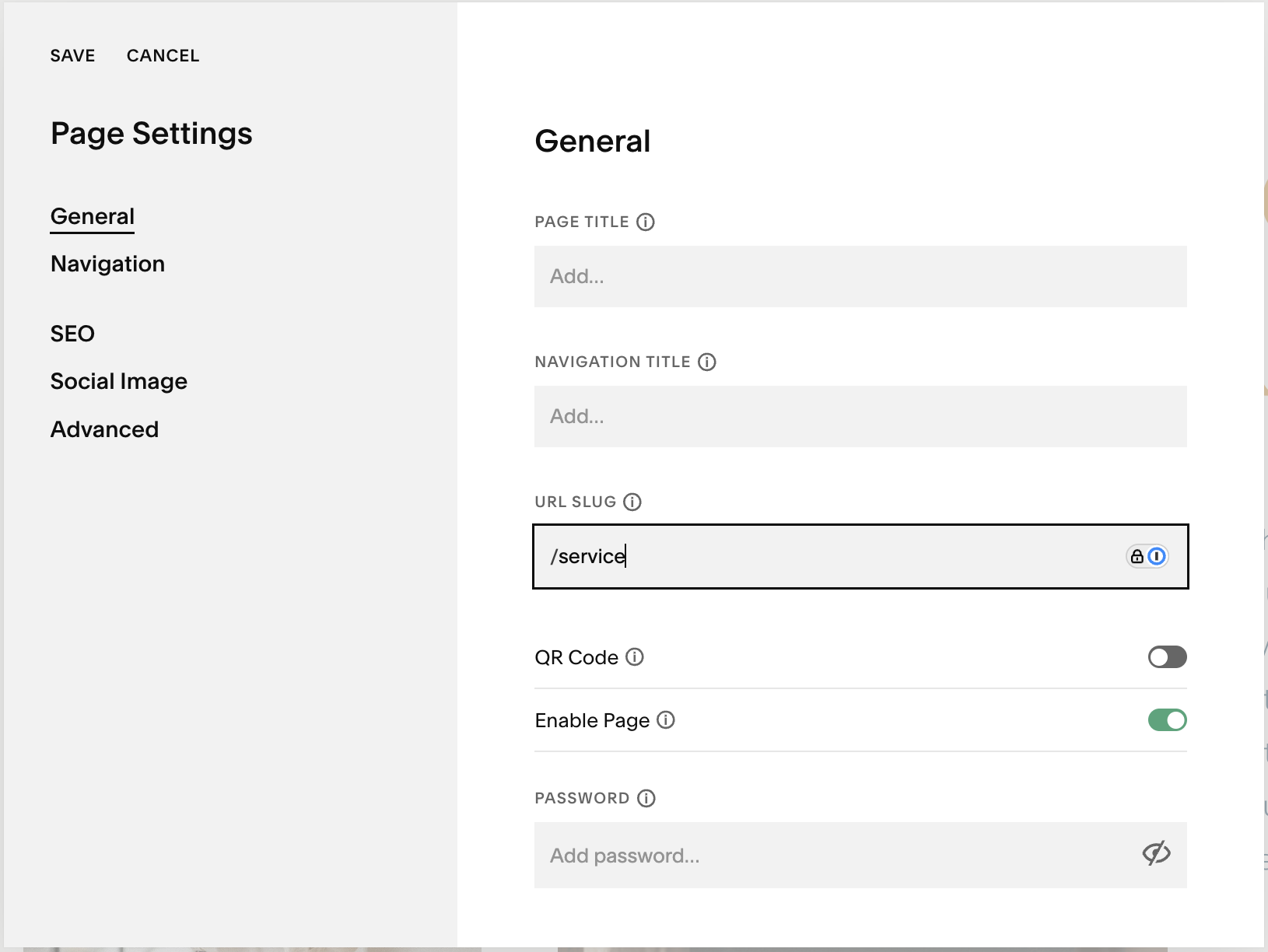
Find your page SEO settings:
Login to Squarespace. On the left column click Website > Pages
Find the page you want to edit and click the gear icon to the right of the page name (you may need to hover your mouse over the page name to see it)
This window will appear and it is where you can edit your page settings.
4. Rewrite Your Meta Descriptions Like Ad Copy
While Google does not always show your meta descriptions in search results, AI platforms like ChatGPT, Perplexity, and Google's own AI actively read them when deciding how to summarize and represent your page.
Write them like a one-line pitch. The goal isn't to summarize, it's to make someone want to click, and to give every platform reading your site a clean signal about what the page delivers.
A good meta description names the person's situation or hesitation, hints at the outcome, and makes clicking feel like the obvious next move. All under 155 characters so nothing gets cut off in results.
For a chiropractor in Boulder Colorado, that might look like:
Homepage: Neurological chiropractic care in Boulder, CO for families who want root-cause answers, not just pain relief. Meet the team.
Pediatric care: Pediatric chiropractic in Boulder for kids with nervous system challenges. Find out how neurological care helps them thrive.
New patient: New to chiropractic in Boulder? Here's what to expect at your first neurological chiropractic visit — no pressure, no commitment.
Notice none of those say "we offer chiropractic services in Boulder, Colorado." That's a summary. These are invitations.
5. Overhaul Your Google Business Profile
Technically this isn't your website, but honestly, for most local service businesses it matters as much your website right now. When someone searches for a service near them, Google's AI is surfacing recommendations before traditional results even appear. Businesses with complete, active profiles are the ones getting cited.
Fill in everything: description, hours, service area, photos. Use the Q&A section like a FAQ, it's heavily weighted and almost universally ignored. And keep it active. Profiles that go dormant for 30 days have seen real drops in visibility.
Most businesses stop after adding a business description. Go further. Add every service individually and write a unique description for each one. These service descriptions help Google connect your business to specific searches (and almost nobody does this).
Why Your Google Business Profile Matters More Than Instagram for Local Businesses
Google Business Profile Tips That Help Local Customers Choose You
Pro Tip: Keep your Google Business Profile update and active. Add photos, create posts, and puhleeeeeeze respond to every review you get.
6. Fix Your Heading Structure
When it comes to how your copy (the words on your site) is structured every page should have one H1, logical H2s, and supporting H3s. This is how search engines and AI systems understand the hierarchy of information on a page — what's the main topic, what are the subtopics, how do the ideas connect.
The problem with a lot of Squarespace sites is that headings get used for visual styling instead of content structure. That's confusing for search engines and it costs you.
7. Add FAQs to Every Core Service Page
People aren't searching the way they used to. They're asking full questions like
"how much does a website redesign cost?"
"do I need a Google Business Profile if I have a website?"
"how long does SEO take to work?"
Answering those questions directly on your service pages gives Google and AI platforms content they can easily surface when someone asks.
Think about what your clients ask before they book. Put those questions on the page. Answer them in 40–60 words. That's it.
8. Improve Your Internal Linking
Most websites are isolated islands. Every page exists on its own with no paths connecting it to related content and that's a problem because internal links (connecting pages to other pages) are how search engines understand your expertise and distribute authority across your site.
Blog posts should link to relevant services. Service pages should link to related resources and case studies. Resources should link back to services. It doesn't have to be complicated. It just has to be intentional.
9. Write Meaningful Image Alt Text
Every photo on your website should have alt text added in it’s settings. Alt text isn't a place to stuff keywords. It's a description of what's actually in the image — and it matters for both accessibility and search.
Instead of "SEO" or leaving it blank, write something like: "Small business owner reviewing Google Search Console data on a laptop." More context. More useful. More indexable.

How to add alt text to your images:
Once you are in editing mode on a page find the image you want to edit and click on it
Click the pencil icon to edit the image
Under the content tab scroll down and you will see “Image Alt Text” this is where you add the description.
10. Address the Technical Layer
There's a layer of your website that most business owners never see and most never touch. Schema markup, robots.txt, and AI-specific files like llms.txt all live in the background, but they do real work.
Schema markup tells search engines and AI platforms exactly what your business is, what you offer, and where you're located in a language they can read without interpreting your content.
Robots.txt controls which pages search engines are allowed to crawl.
And llms.txt is a newer file that gives AI tools like ChatGPT and Perplexity a clean briefing document about your site.
None of this is visible to your visitors. All of it influences whether search engines and AI platforms understand your business correctly. Most Squarespace sites have none of it set up which means there's a good chance Google and AI tools are working harder than they should to figure out who you are.
This is the part where I'd say: don't DIY this one. Get it done right once and it works quietly in the background from there. If you’d like help, schedule a call and lets get this set up for you.
11. Build Location Signals Into Your Site
Search engines and AI platforms are often trying to match your business to people searching in a specific place. If your website doesn't clearly tell them where you are and where you serve, they're guessing and guessing wrong costs you visibility. Bummer.
This goes beyond having your city at the bottom of your site in your footer (but it absolutely belongs there too). Your service pages should mention your location naturally in the copy. Your titles and meta descriptions should include your city. Your contact page should have your full address. And if you serve multiple areas, each one deserves to be named explicitly — ideally on its own dedicated location page with real content, not just a list of city names.
The businesses showing up in local AI recommendations aren't just the closest ones. They're the ones whose websites made it obvious where they operate.
12. Publish Helpful Content Consistently
Not AI-fluff. Not "5 tips" roundups nobody asked for. Genuinely helpful content that answers the questions your clients are already asking before they hire someone.
The goal isn't to publish more content than everyone else. The goal is to become the best answer to the questions your customers are already asking. One useful article that genuinely answers a client's question will outperform ten generic posts written just to publish something. And over time, each post is a new keyword, a new indexed page, a new piece of content an AI platform can cite when recommending someone in your field.
This is an on-going SEO service I offer btw, let’s chat about it!
13. Add Author Information to Every Post
AI systems increasingly evaluate expertise when deciding whose content to surface. Every blog post should clearly identify who wrote it and why they're qualified. An author bio page that links from your posts is a low-effort signal that earns real weight with AI platforms assessing credibility. You can see mine at the end of this article.
14. Build a Review Generation System
Fresh reviews send stronger trust signals than old ones and answer engine platforms are paying attention to review recency and sentiment when deciding which businesses to recommend. A competitor with 40 reviews from this year will often outrank your 200 reviews from three years ago.
Don't leave this to chance. Build a repeatable process: a follow-up text after a great session, an email sequence after project completion, a simple ask at the right moment. Respond to every review. Let me say that again, respond to every review. Your response is a content field Google actually reads.
Where reviews live matters too. Google Business Profile is the priority. But Yelp and any industry-specific directories relevant to your field all contribute to the trust signals AI platforms use to evaluate your credibility.
And don't let those reviews sit only on third-party platforms. Pull your best ones onto your website on your homepage, your service pages, or new client page. Social proof on your site reinforces the same trust signals for the humans who land there.
15. Compress Your Images and Check Your Site Speed
Large image files and bloated pages create friction for visitors and search engines alike. Squarespace handles a lot of this automatically, but it's worth running your site through Google PageSpeed Insights to see where you stand. A faster site improves user experience and user experience is a ranking signal.
What to Do to Stay Visible in Google and AI Search
Fixing the foundation matters. But SEO and AI visibility aren't one-time projects. They have to be watered and tended and the businesses pulling ahead in search are the ones treating this as an ongoing practice, not a launch-day checklist.
Here's how I'd break it down:
Weekly
Publish one helpful blog post
Add one update to your Google Business Profile
Respond to any new reviews
Share content on social (with intent captions with keywords, location, context)
Monthly
Review Search Console data: what's climbing, what's dropping, what's getting impressions but no clicks
Review Google Business Profile Insights: how many people found you, called you, clicked for directions
Update underperforming pages based on what the data shows
Add new FAQs pulled from real client conversations
Improve internal linking as new content is published
Refresh any outdated content
Request new reviews from recent clients
Quarterly
Full metadata audit
Competitor review: what are they ranking for that you're not?
Expand and update service pages
Update schema as services or details change
Identify content gaps worth filling
The businesses winning in Google and AI search aren't doing anything revolutionary. They're simply showing search engines and AI systems — month after month — that they're active, relevant, trusted, and genuinely knowledgeable about what they do.
Five years ago, a website could sit untouched for months and still perform reasonably well. That's becoming less true every year.
Search engines are looking for signs of life. AI systems are looking for expertise. Customers are looking for businesses they can trust.
You don't have to do everything on this list tomorrow. But if your website hasn't been touched in a year, start somewhere.
Because while you're standing still, the businesses around you aren't.
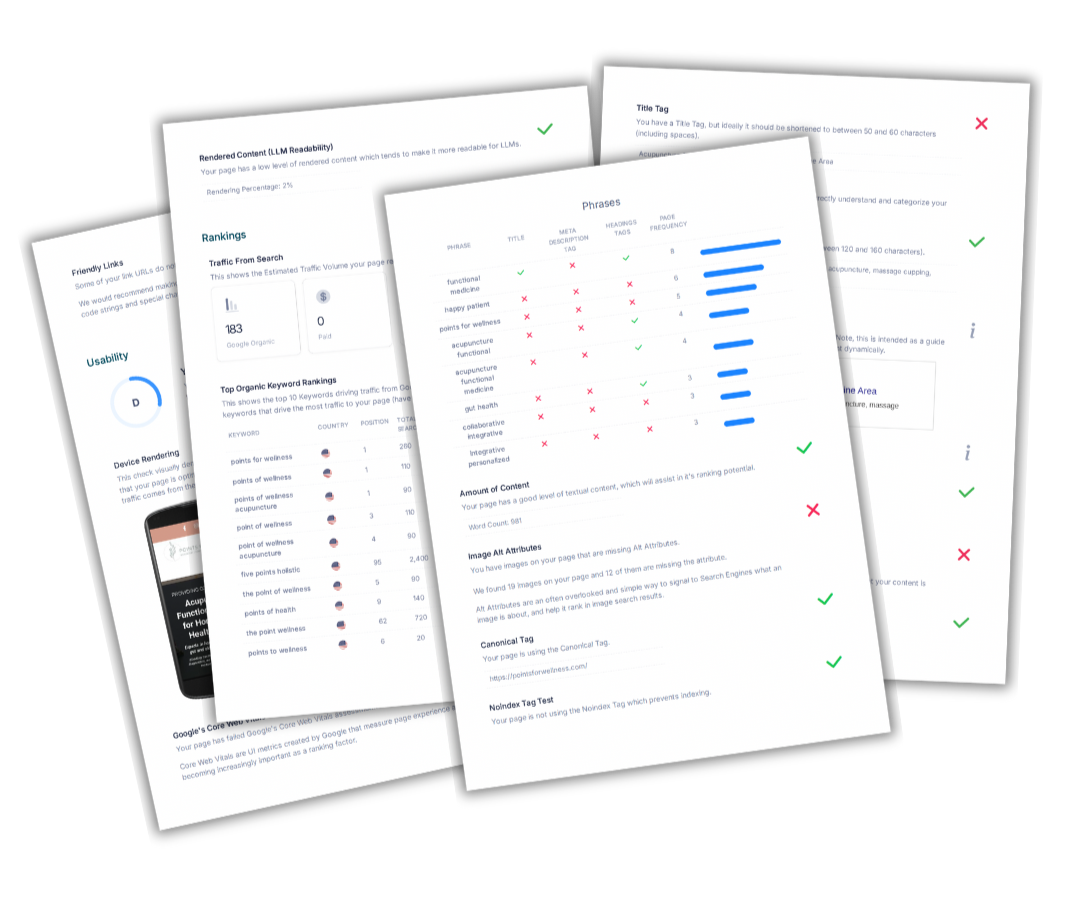
Not sure where your site stands?
Start with a website audit.
Sometimes the fastest way to improve your SEO and AI visibility is simply knowing what needs attention first.